Available on iOS and Android


Unlimited plans include:
Your eSIM plan will activate automatically on arrival at your destination. You have 180 days from the date of purchase to activate
You can manage your eSIM from the Skratch app

Unlimited plans include:
Your eSIM plan will activate automatically on arrival at your destination. You have 180 days from the date of purchase to activate
You can manage your eSIM from the Skratch app
Say goodbye to physical sims or sneaky roaming charges when you travel. A Skratch eSIM is a fully digital and fast way to get local mobile data when you travel.
Think of an eSIM like a virtual SIM card, offering you all the data usually contained on a physical SIM card but with no manual setup needed. Most iOS and Android devices have an eSIM chip built-in, allowing you to activate an eSIM plan straight away on your device. You can install multiple eSIM plans on your device without touching your main data plan or phone number.


Find your destination then choose the data plan that best suits you
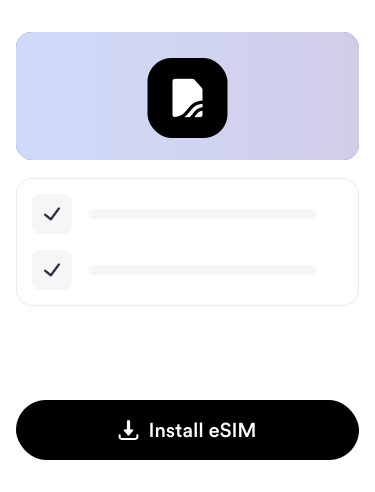
Follow the simple installation instructions in the app
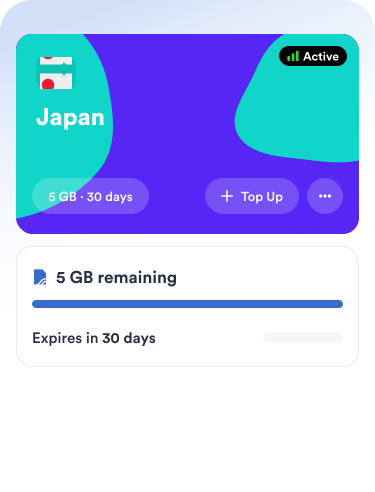
Your eSIM will activate automatically when you reach your destination
Skratch offers support to our eSIM customers before, during and after your trip whenever you need it. You can reach out to us via chat in the app, email or refer to our help center for quick answers to commonly asked questions.
If you've got a question or problem with your eSIM, our team will help you to get it resolved as soon as possible.
Skratch eSIM plans let you get instant internet for your trip in 200+ locations around the world. All our prepaid data plans include up to 4G/5G high speed internet from Tier 1 networks.
Choosing the right plan
Choose from a range of country and region eSIM plans on Skratch depending on your needs. We offer data plans from 1GB to 20GB and we'll notify you when your data is running low so you can top up instantly.
Activating Your Travel eSIM
You can tap to install your eSIM directly from the Skratch app in seconds. Once you've arrived in your destination you'll need to ensure your mobile data line is set to your new eSIM and you have data roaming enabled. If everything is setup correctly, your eSIM will show as active on Skratch and you'll be connected to the internet.
Troubleshooting Activation Issues
If your eSIM isn't activating as expected, we're here to help. You'll find easy Activation instructions directly on Skratch and if those aren't helping, check out our help center or reach out to our support team.
Most modern smartphones, including recent models from Apple, Samsung, and Google, support eSIM technology. When you are browsing eSIM plans on Skratch, the app will tell you if your device is compatible or not.
Want to double check? Check your device manafacturer details and refer to our help article here about device compatibility.
Benefits of an eSIM
Say goodbye to expensive roaming fees. With a travel eSIM on Skratch, you can get connected instantly to high speed internet in 200+ locations around the world. Think of an eSIM like a virtual SIM card, offering you all the benefits of internet on your trip but without the hassle of a physical SIM card.
Using a travel eSIM
Travelling soon? Head to Skratch, pick your eSIM plan and you can install it in seconds, even before your trip. When you land at your destination, simply turn on the eSIM and you'll be ready to go.
Available on iOS and Android